What Is a VPN Router? Everything You Need to Know

Eneba Hub contains affiliate links, which means we may earn a small commission if you make a purchase through them—at no extra cost to you. Learn more
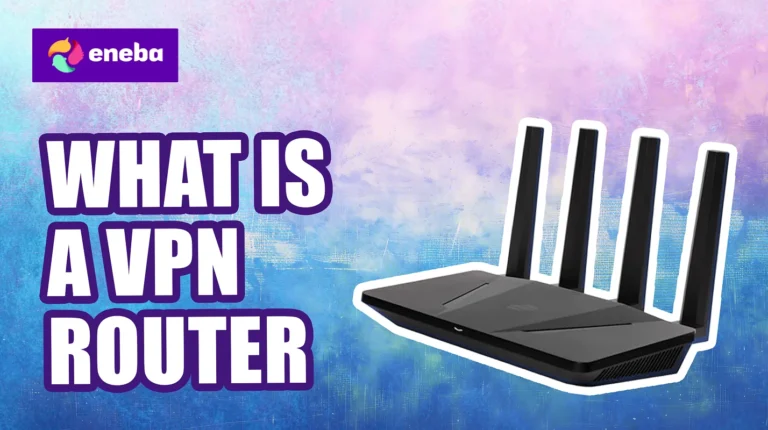
A VPN router is a router with VPN software built into its firmware. Instead of installing VPN apps on each device individually, the router handles encryption for your entire network. Every device that connects to your Wi-Fi automatically gets VPN protection, from laptops and phones to smart TVs and gaming consoles.
This approach solves a common problem. Many devices can’t run VPN apps at all. Your PlayStation, Xbox, smart TV, and IoT devices like security cameras or smart speakers don’t support traditional VPN software. A VPN router protects these devices by encrypting traffic at the network level before it ever leaves your home.
Keep reading to learn all about VPN routers and how they work.
Jump to:
How Does a VPN Router Work?
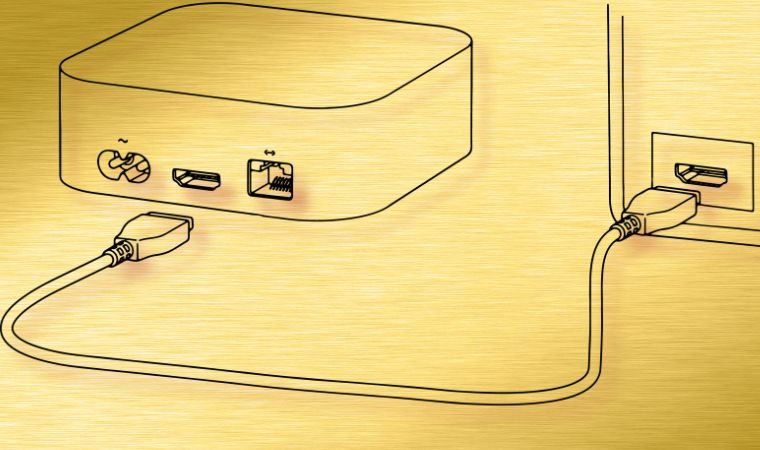
A standard router connects your devices to the internet. A VPN router does the same thing, but adds an encrypted tunnel between your network and the VPN server.
- When you browse the web or stream video, your data travels from your device to the router.
- The router encrypts that data using VPN protocols like OpenVPN or WireGuard, then sends it through a secure tunnel to the VPN provider’s server.
- The VPN server decrypts the data and forwards it to its destination. Return traffic follows the same path in reverse.
This happens automatically for every connected device. Your phone, laptop, smart TV, and gaming console all benefit from the same encrypted connection without any additional configuration on each device.
The VPN router also masks your IP address. Websites and services see the VPN server’s IP instead of your real one, making your entire household appear to be browsing from the VPN server’s location. For more info on the actual devices, check our list of the best VPNs routers for some solid recommendations.
Types of VPN Routers
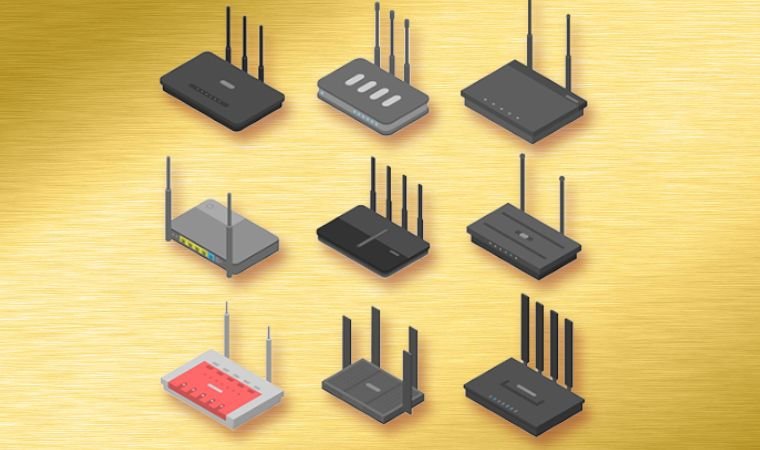
Not all VPN routers are created equal. The three main categories differ in price, ease of use, and flexibility.
Pre-Configured VPN Routers
These routers come with VPN firmware already installed and configured for a specific VPN provider. You plug them in, enter your VPN credentials, and start browsing. ExpressVPN, for example, has its own line of routers called Aircove. With each router, you get a 6-month ExpressVPN subscription for free, and, as they say, “if it’s connected, it’s protected.”
The upside is simplicity. No technical knowledge required and you don’t have to install VPN clients or apps on all devices you want to protect. One potential downside is that you’re locked into one specific VPN provider unless you reconfigure the router yourself. That said, you can’t really go wrong with the likes of ExpressVPN.
VPN-Compatible Routers
Many mainstream routers from brands like Asus, Netgear, and TP-Link include native VPN client support. You can configure these routers to connect to your preferred VPN service without flashing custom firmware.
This option balances convenience with flexibility. The router works out of the box, and you can set up VPN connections through the standard admin interface. Top-level Asus routers are particularly popular for this since their stock firmware supports OpenVPN and WireGuard protocols natively.
Check your router’s specifications before buying. Look for “VPN client” support specifically. Many routers support “VPN passthrough,” which is different. Passthrough lets devices behind the router connect to VPNs, but doesn’t encrypt traffic at the router level.
Flashed Routers
You can install custom firmware like DD-WRT, OpenWrt, or Tomato on compatible routers to add VPN functionality. This approach offers the most flexibility and works with almost any VPN provider, but requires technical knowledge.
Flashing involves replacing your router’s operating system. Done correctly, it unlocks advanced features. Done incorrectly, it can brick your router. If you’re comfortable with technical projects and want maximum control, flashing is the most cost-effective path to a VPN router.
Benefits of Using a VPN Router

Router-level VPN protection offers several advantages over installing apps on individual devices.
- Protects devices that can’t run VPN apps. Game consoles, smart TVs, streaming devices like Roku and Apple TV, and IoT gadgets don’t support VPN software. A VPN router extends protection to all of these automatically. For gamers, this provides the same benefits you’d get from the best VPNs for gaming without needing native console support.
- Bypasses device limits. Most VPN subscriptions limit simultaneous connections to 5-10 devices. A VPN router counts as a single device, so your entire household can connect regardless of how many phones, laptops, and tablets you own.
- Always-on protection. You never forget to connect. Every device on your network automatically uses the VPN whenever it accesses the internet. No apps to launch or connections to establish.
- Simplified management. Manage one VPN connection instead of configuring every device individually. Change servers, update settings, or troubleshoot issues from a single admin interface.
- Consistent location for streaming. All devices appear to be in the same location, which matters for services that restrict simultaneous streams from different regions. The best VPNs for streaming work well on routers for household-wide access to geo-restricted content.
Drawbacks of VPN Routers

Router-level VPN comes with trade-offs you should understand before committing.
- Reduced flexibility – Changing VPN servers requires logging into your router’s admin panel. You can’t quickly switch locations the way you would with a phone app. If you need to change servers frequently, this becomes inconvenient, and I recommend going with one of the top services like NordVPN instead.
- Potential speed reduction – Consumer routers have less processing power than computers and phones. Encrypting all network traffic puts load on the router’s CPU, which can reduce speeds, especially on older or budget routers. Higher-end routers with faster processors handle VPN workloads better.
- All-or-nothing approach – Every device uses the VPN by default. This causes problems with services that block VPN traffic or require your real location. Some routers support split tunneling to route specific devices or traffic outside the VPN, but not all do.
- Setup complexity – Configuring a VPN router requires more technical knowledge than installing an app. You’ll need to access your router’s admin interface, enter server addresses, upload certificates, and troubleshoot connectivity issues.
- Switching VPN providers is harder – Changing from one VPN service to another means reconfiguring your router. With device apps, you just install the new provider’s app.
How to Choose a VPN Router
Several factors determine which VPN router fits your needs.
Processing Power
Even the best VPNs for encrypted connection will eat some CPU cycles. Look for routers with at least a 1 GHz dual-core processor for acceptable performance. Faster processors deliver better speeds when the VPN is active. Budget routers with weak CPUs may bottleneck your connection, even if your internet plan supports higher speeds.
VPN Protocol Support
Different protocols offer different speed and security trade-offs. WireGuard is the fastest modern protocol. That’s why I have it at the very top of my list of the best VPN protocols for gaming, torrenting, and other activities that need speed and security in equal measure. OpenVPN is widely supported and secure but slower. Look for routers that support your preferred VPN provider’s recommended protocol.
RAM
More RAM helps routers manage multiple connections and complex routing rules. Aim for at least 256 MB, with 512 MB or more preferred for households with many devices.
Firmware Compatibility
If you plan to flash custom firmware, verify that your router model is supported. DD-WRT and OpenWrt maintain compatibility lists on their websites. Not all routers can be flashed, and using unsupported hardware risks permanent damage.
Native VPN Client Support
For the easiest setup, choose a router with built-in VPN client support. Asus routers with AsusWRT firmware are popular choices. TP-Link’s Archer series and some Netgear models also include native VPN client functionality.
How to Set Up a VPN on Your Router

The exact steps vary by router model and VPN provider, but the general process follows this pattern:
- Log into your router’s admin panel (typically 192.168.1.1 or 192.168.0.1)
- Find the VPN client section in settings
- Download configuration files from your VPN provider
- Upload the configuration file or manually enter server details
- Enter your VPN username and password
- Save settings and connect
Most VPN providers offer router setup guides for popular models. Check your provider’s support documentation for specific instructions.
If your router doesn’t have native VPN support, you’ll need to flash custom firmware first. This process varies significantly by router brand and model. Research your specific router thoroughly before attempting to flash firmware.
For detailed setup instructions across different devices, check out my guide on how to set up a VPN.
VPN Router vs. VPN Apps: Which Is Better?
Neither approach is universally better. The right choice depends on your situation.
Choose a VPN router if:
- You have devices that can’t run VPN apps (consoles, smart TVs, IoT devices)
- You want always-on protection without remembering to connect
- Your household exceeds your VPN’s device limit
- You prefer managing one connection instead of many
Choose VPN apps if:
- You frequently switch VPN servers or locations
- You only need to protect a few devices
- You want the fastest possible speeds
- You’re not comfortable with router configuration
- You travel and need VPN access away from home
Many users combine both approaches. A VPN router protects the home network, while VPN apps on phones and laptops provide protection when traveling.
Best VPN Providers for Routers

Not every VPN works well on routers. The best providers offer dedicated router support, detailed setup guides, and protocols optimized for router hardware.
Look for VPN services that provide:
- OpenVPN and WireGuard configuration files
- Router-specific setup tutorials
- 24/7 support for router configuration issues
- Fast servers that minimize the speed impact of router-level encryption
My picks on our list of the best VPN services generally offer the best router support, including pre-configured router options and comprehensive documentation.
FAQs
Yes, a VPN router is worth it if you have many devices, need to protect gadgets that can’t run VPN apps, or want always-on protection for your household. It’s less worthwhile if you only need to protect one or two devices or frequently switch VPN locations.
Yes, to some degree. The router’s CPU handles encryption, which uses processing power. Higher-end routers minimize this impact. Expect 10-30% speed reduction on mid-range routers, potentially more on budget models. Using WireGuard instead of OpenVPN typically improves speeds.
Most VPN providers work with routers, but some are easier to configure than others. Look for providers that offer OpenVPN or WireGuard configuration files and router-specific setup guides. Proprietary protocols that require dedicated apps won’t work on routers.
Not for devices at home. However, you’ll want VPN apps on phones and laptops you take outside your home network. The router only protects devices while they’re connected to your home Wi-Fi.
Yes. You can disable the VPN connection through your router’s admin panel. Some routers also support split tunneling, which lets you exclude specific devices from VPN protection without turning off the connection entirely.
Yes. This is one of the main advantages of VPN routers. Consoles like PlayStation and Xbox can’t run VPN apps natively, but they automatically use the VPN when connected to a VPN router.